Build a packet, ride it down the cables, and get your message to a friend’s house. For kids 8 to 15.
The short version: Your message gets cut into small pieces called packets, and each one gets an address. Routers pass them along, cable by cable, until they reach the right computer and get put back together. It all happens in a fraction of a second.
First, it’s a game
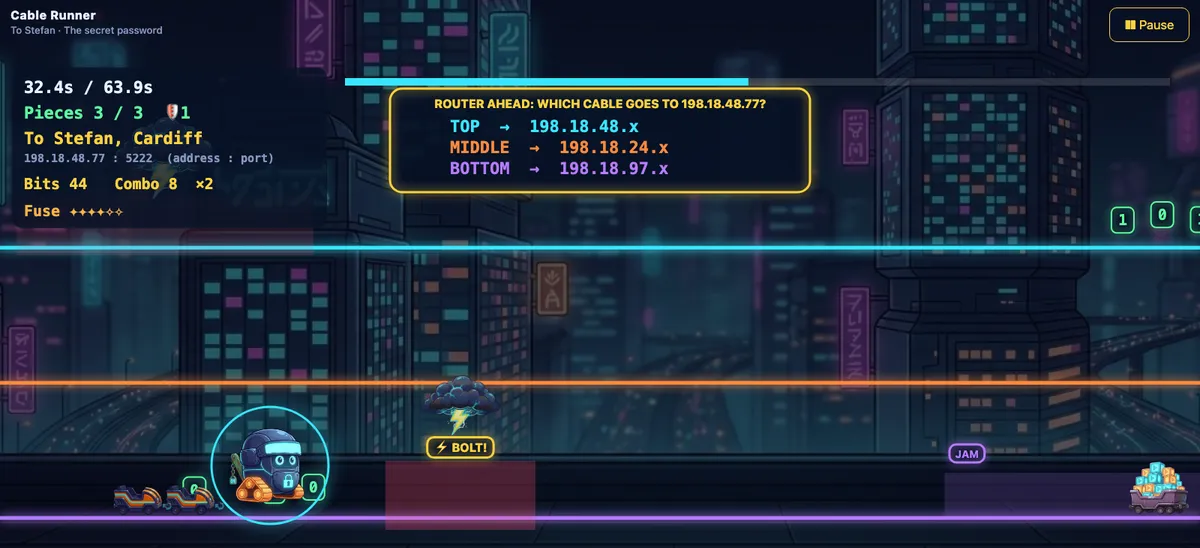
Ride the cable. Hop the static, dodge the lightning, and be on the right one before the router.Grab the bits and keep your combo. It’s what keeps the junk flood behind you.Or be the router. Point every packet at the right house before it gets there.Build the packet first. Every piece of armor does a real job.
Yes, the internet is complicated. That’s why it’s a game.
Packets, routers, addresses, seven layers. It’s a lot, and most of us use it all day without knowing how any of it works.
We didn’t want to hand a kid a diagram. So the game never stops to give a lesson. Kids build a robot, race it down a cable and try not to get zapped, and the ideas come along for the ride.
Here’s what they pick up, one stop at a time. Keep scrolling and your message makes the trip.
What is DNS?
DNS is the internet’s phone book. You know your friend as Mark, but computers only know numbers, so DNS looks up “Mark” and hands back his address. It happens every time you open a website, before anything else can.
In the game, the first time the helmet goes on, the phone book answers: Mark is 198.18.10.23.
What is an IP address?
An IP address is a computer’s address on the internet, written as four numbers. The first part says which network it’s on, a bit like a zip code, and the last part says which computer.
It goes on the front of the packet’s helmet, where every router can read it.
What is a packet?
A packet is one small piece of a message. A photo or a video is too big to send in one go, so it travels as lots of packets and gets rebuilt at the other end.
Big messages ride as a train of pieces. Lose one and your friend gets a sentence with a hole in it.
What is a router?
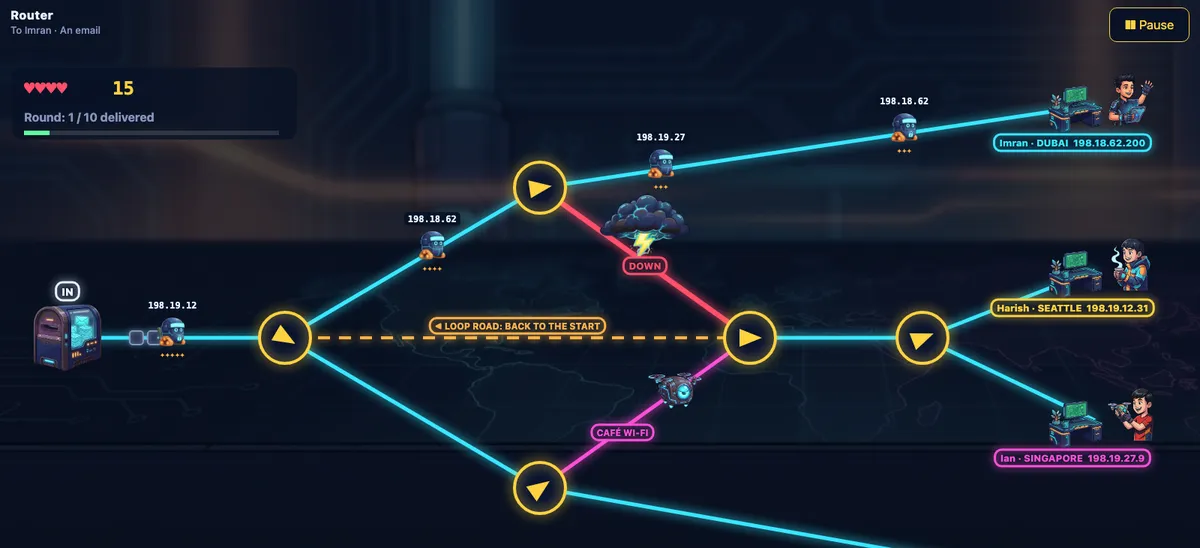
A router is a signpost for packets. It reads the address on each one and sends it down the cable that gets it closer to home. The Wi-Fi box in your house is one, and the internet is thousands more handing packets to each other.
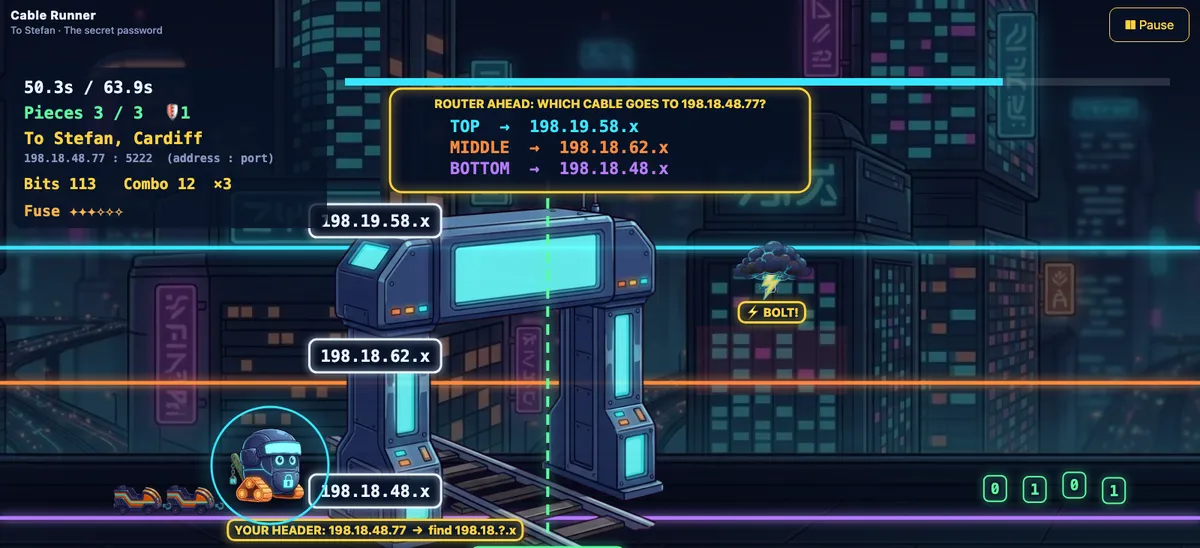
Mark is at 198.18.10.23. Which cable?
Three cables, three signs. Take the wrong one and the router there sends you back round, which costs a spark off your fuse.
TCP vs UDP: what is the difference?
TCP checks that every piece arrived and sends any lost ones again, so it’s used when the whole thing has to get there, like a message or a file. UDP doesn’t check, which makes it faster, so it’s used for live video and calls, where a small glitch is fine.
Pick one, then zap a piece and see what happens.
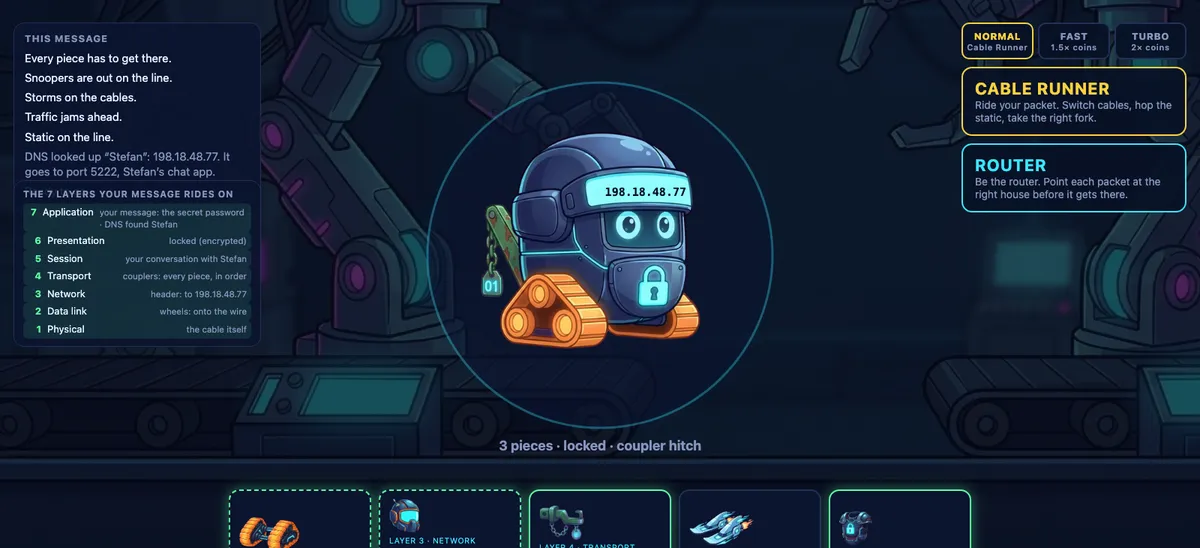
In the game TCP is a coupler hitch and UDP is a pair of ski fins. You pick one for every message.
What does encryption do?
Encryption scrambles a message so only the person it’s for can read it. Anyone listening in along the way sees gibberish. The small padlock next to a web address means the page you’re on is using it.
The snooper sees:x9#Qv!7 Lk2@ pW4$ zR8* m1&Tq 0bN^ e5Y?
Snoopers hang over the cables and scan what passes. The lock hides what the message says. It doesn’t hide where it’s going.
What is the OSI model?
The OSI model splits the job of sending a message into seven layers, from the cable at the bottom to the app at the top. Each layer does one job and hands off to the next.
7Applicationyour message
6Presentationthe lock and the squeeze
5Sessionthe conversation with your friend
4Transportcouplers or skis, and the port
3Networkthe address and the routers
2Data linkthe wheels, swapped at every router
1Physicalthe cable, and the static on it
Every piece of the packet’s armor is one of the layers. You’ve now met all seven.
What is ping?
Ping is how long a small message takes to reach another computer and come back, measured in milliseconds. A low ping means a quick connection. It matters most in online games, where a high ping is the delay between pressing a button and seeing it happen.
And that’s the trip. Mark got it.
“Hi Mark! Treehouse on Saturday?”
Mark: “Saturday works! Can you send me the map?”
A packet makes that whole trip in a few hundredths of a second.
What you do in the game
Thirteen friends, twenty-six messages, and two ways to play each one. It’s a networking game: computer science without the coding.
Cable Runner
Ride your packet down three cables. Hop the static, switch away from lightning, take the right cable at every router and pick the right door at the house.
Router
Now you’re the router. Packets pour in and you point each one at the right house, around storms, jams and a flood of junk.
Two tracks, picked once
Explorer
Ages 8 to 10
City names on the signs, colours on the packets, and a button that builds the packet for you and says why.
Engineer
Ages 11 and up
Network numbers where the city names were, port numbers on the doors, and a loop road that burns your fuse if you send a packet round it.
What a kid can tell you afterwards
Our own kids have been testing it. These are the things the game makes you do, not just read.
Why a message needs an address, and who reads it.
Why a video call glitches but a text never arrives with a word missing.
What a lock hides, and what it doesn’t.
What a router does when a line goes down.
What a junk flood is, and what a firewall does about it.
For teachers: it works as a STEM game for a computer science or networking unit. One message takes about a minute, and every run ends with a layer-by-layer recap of what just happened.
Questions
Is it out yet?
Not yet. We’re testing it at home on an iPad. The link below gets you one email when it’s in the stores.
What ages is it for?
Eight to fifteen. Younger kids play the Explorer track, with city names and a helper. Older kids play Engineer, with the numbers a network uses.
Does it need the internet?
No. It plays offline, with no accounts. A little funny for a game about the internet.
Will it have ads?
The plan is free with ads, never in the middle of a run, and $1.99 once to turn them off.
Is the networking accurate?
Yes, simplified. Routers send by address, lost pieces get sent again or they don’t, and every address in the game comes from a block set aside for testing, so none of them belongs to anyone.